QRefine

QRefine is a QR code scanner, generator and manager for people who need codes handled accurately, not just quickly.


Free to download. In-app purchases available.
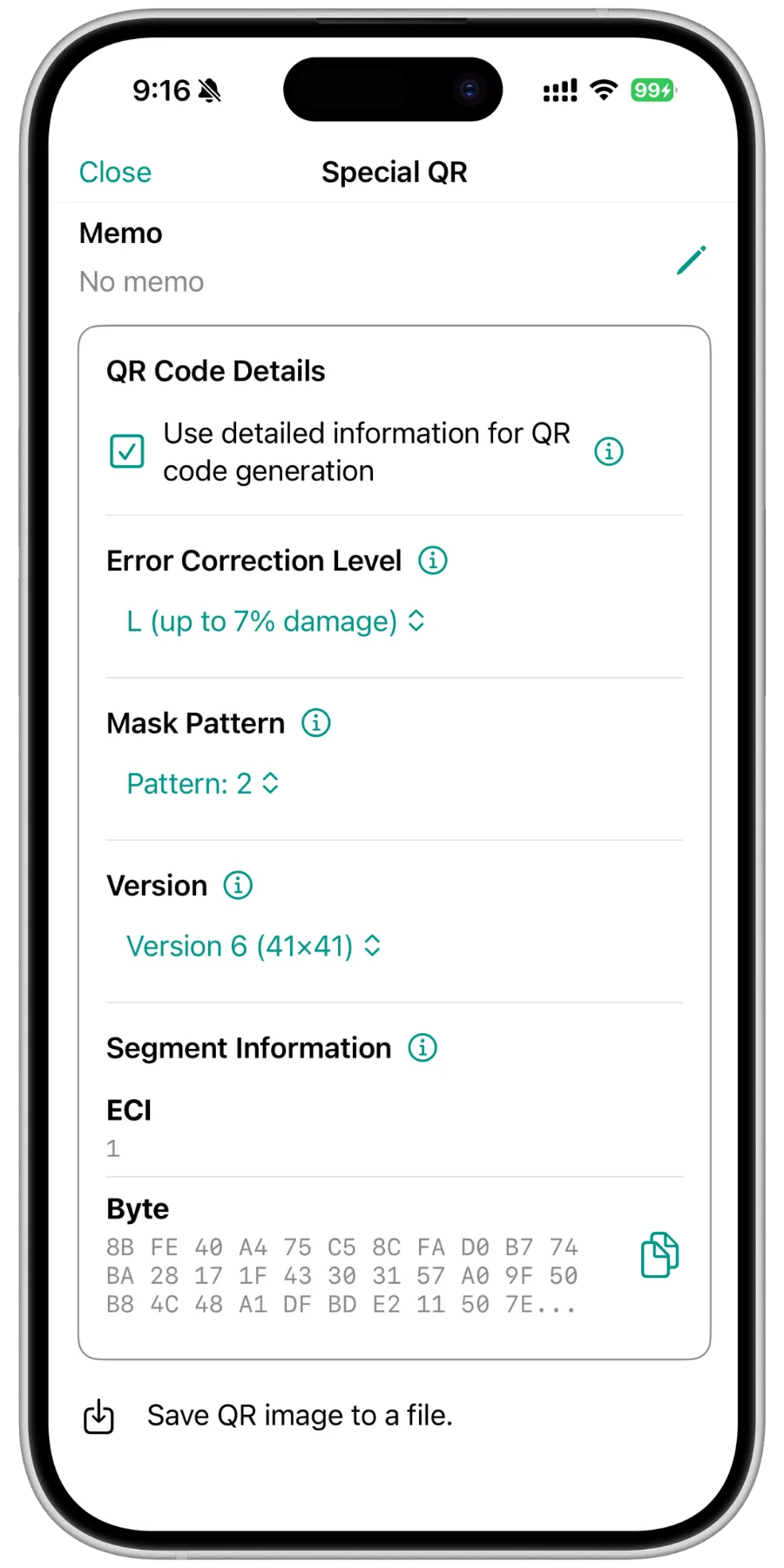
The QRefine code details screen on a phone for the saved code "Special QR": below the memo field, the QR Code Details section lists the error correction level L (up to 7% damage), mask pattern 2, version 6 (41x41) and the segment information with ECI 1 and the Byte segment as hexadecimal bytes, followed by a button to save the QR image to a file.
  • Generation Parameters
  • HEX Binary

What is QRefine?

Most QR apps stop at “it scanned”. QRefine also shows you how the code was built, and lets you rebuild it the same way.

It handles text and binary codes alike, and reproduces a scanned code faithfully instead of re-encoding it into a lookalike.

  1. Scan

  2. Version
    2 (25×25)
    Error correction
    Q
    Mask pattern
    3
    Segment
    Byte

    68 74 74 70 73 3A 2F 2F 71 72 65 66 69 6E 65 2E 61 70 70

    Analyze

  3. Rebuild

A three step diagram: a blurred, smudged QR code is scanned; QRefine reads its parameters — version 2 (25x25), error correction level Q, mask pattern 3, a Byte segment and its raw bytes; and the same code is rebuilt as a clean, sharp QR code.

Key features

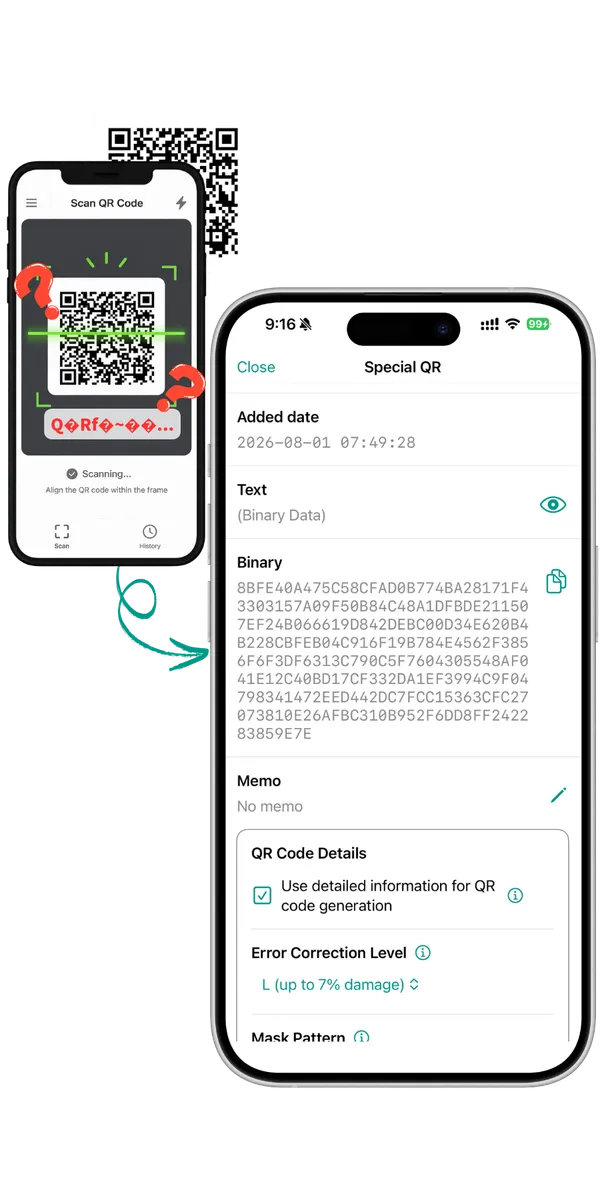
Two phones side by side: on the left another scanner app shows the scan result as broken characters, and an arrow leads to QRefine on the right, where the same code is shown as a text field and hexadecimal bytes, together with its error correction level.

See what is inside a QR code that will not scan

Your camera recognizes the code but shows nothing, or another app turns it into garbled text. QRefine gets the data out and shows it as hexadecimal bytes and as text on the same screen.
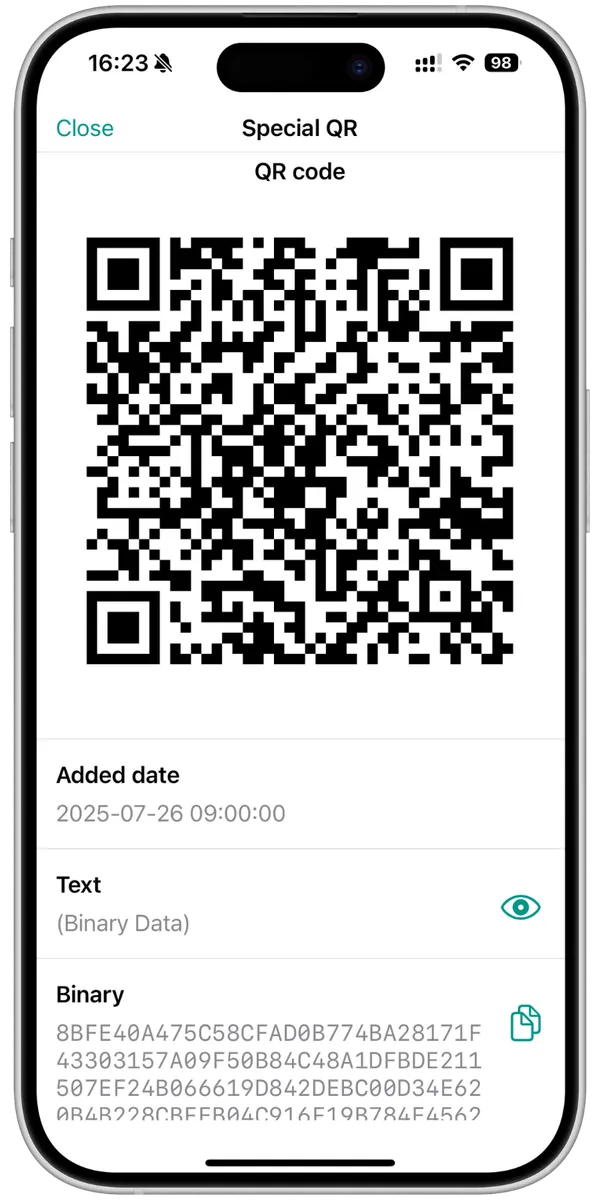
The QR code screen in QRefine for the saved code "Special QR": the QR code fills the upper half of the screen, followed by the added date, the text field showing (Binary Data), and the binary field with the raw bytes in hexadecimal.

Read the generation parameters, rebuild it the same way

QRefine reads the error correction level, mask pattern and QR version of a scanned code, then generates a new one with those exact parameters.
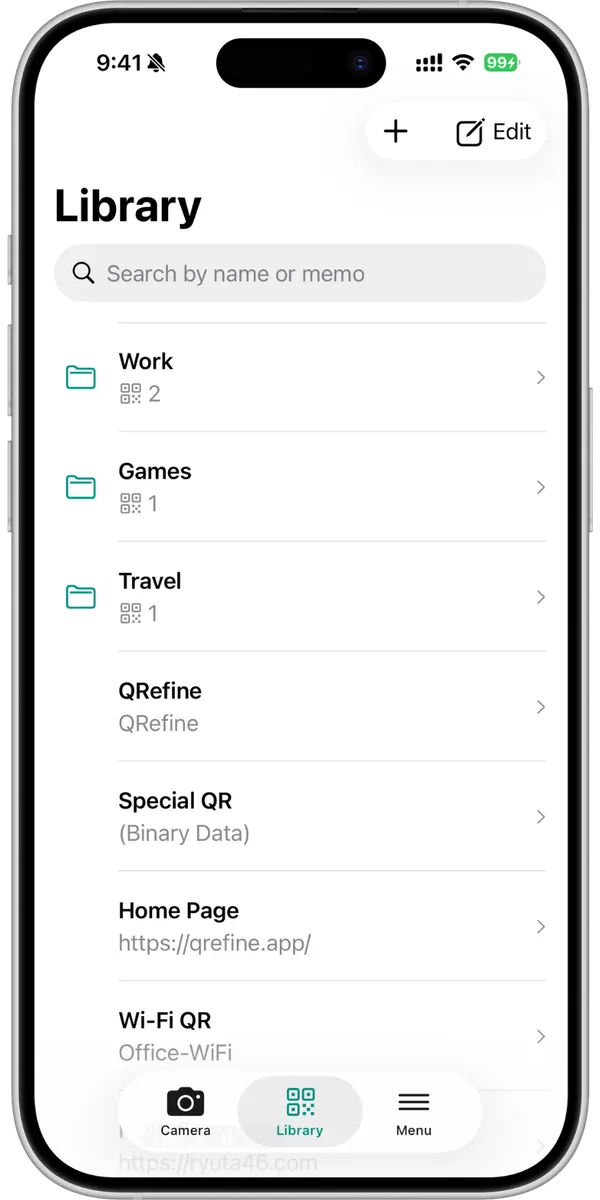
The QRefine library screen, with a field for searching by name or memo, the folders Work, Games and Travel with the number of codes in each, and saved codes such as QRefine, Special QR (Binary Data), Home Page and Wi-Fi QR listed with their memos.

Organize scanned codes in a library

Give every code a name and a memo, and group them into folders so you can find them again. Back up the whole library to one file and restore it on your next device.

Everything else it does

  • Scan or import Scan with the camera, or import an image from your photo library.
  • Codes inside screenshots Detect a code embedded in a screenshot or a saved picture.
  • Create from hex Enter binary data as hex to build codes ordinary generators cannot.
  • Export and share Save a PNG image or the raw binary, and share it with other apps.
  • Search and sort Find a code by its name or memo, and reorder the list as you like.
  • iPhone, iPad and Android Dark mode support and a simple, uncluttered interface on every device.

Who it is for

  • Business users Read what is actually inside enterprise QR codes that carry binary data.
  • Players with game codes Turn a screenshot or a photographed code into a clean, scannable version.
  • Anyone who collects codes Keep Wi-Fi, ticket, payment and contact codes in one searchable place.
  • Developers and QA engineers Test specific payloads and parameters, and reproduce a reported code exactly.

Ready to try QRefine?

Free to download. In-app purchases available.

Questions? See the FAQ.

QR Code is a registered trademark of DENSO WAVE INCORPORATED in Japan and in other countries.